
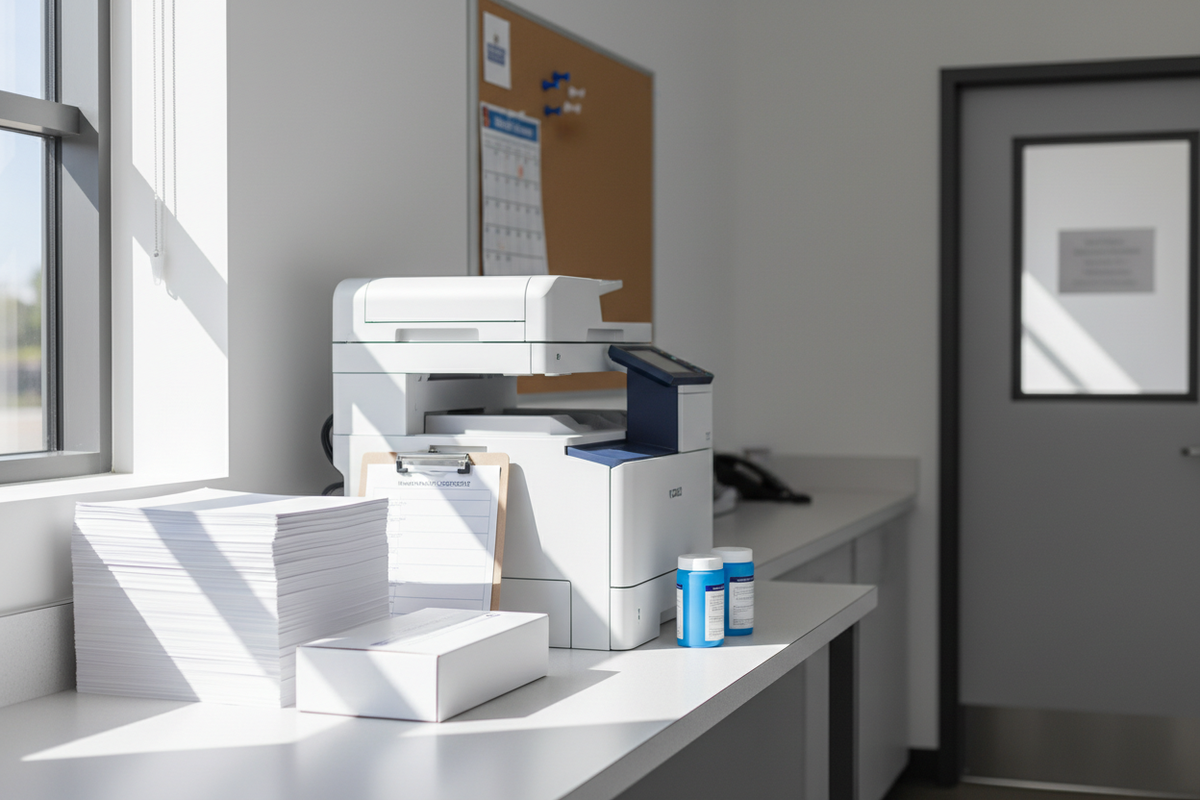
Tips for Keeping Your Printer Healthy: A Guide for Schools and Education Facilities
Printers remain an essential part of daily operations in schools, colleges, universities, libraries, administrative offices, and other education facilities. From classroom worksheets and lesson plans to student records, administrative forms, exams, reports, signage, and parent communications, printers handle a constant stream of important documents.
With that much use, printer problems can quickly become disruptive. Paper jams, streaky prints, low toner warnings, clogged printheads, and other issues can interrupt classroom activities and administrative workflows.
The good news is that many common printer problems can be reduced with routine maintenance and proper supply management.
This guide covers practical printer maintenance tips for schools and education facilities, including how to use the right paper, replace ink and toner correctly, keep printers clean, prevent paper jams, and maintain a reliable supply of printing consumables.
Why Printer Maintenance Matters in Education
A printer that works well is easy to take for granted—until it stops working.
In an education environment, a printer failure can affect much more than one employee. A teacher may suddenly be unable to print classroom materials, an administrator may be unable to prepare documents for a meeting, or an office may have difficulty processing student paperwork.
Regular printer maintenance can help education facilities:
- Reduce unexpected printer downtime
- Improve print quality
- Reduce paper jams
- Protect printer components
- Extend the useful life of printing equipment
- Prevent unnecessary emergency purchases
- Keep essential school documents moving
- Make printer supply purchasing more predictable
The goal is not to eliminate every printer problem. Instead, schools should establish simple routines that help identify problems before they become major disruptions.
1. Use the Correct Paper for Your Printer
One of the simplest ways to support printer performance is to use paper that is appropriate for the printer and the type of printing being performed.
Different printers may have specific requirements for paper weight, size, finish, and media type. Using paper outside the manufacturer's specifications can contribute to feeding problems, jams, poor print quality, or other issues.
Schools should also store paper properly. Keep unopened paper in a clean, dry location and avoid exposing it to excessive moisture or temperature changes.
BSC Supply offers office paper products, including EarthChoice Office Paper. Available options include standard white letter-size office paper and recycled paper designed for everyday office printing.
Printer paper checklist:
- ☐ Use the correct paper size
- ☐ Follow the printer's recommended paper specifications
- ☐ Store paper in a dry location
- ☐ Keep paper flat and protected
- ☐ Avoid loading damaged or heavily curled sheets
- ☐ Keep frequently used paper sizes in stock
2. Keep the Printer Clean
Dust, paper fibers, toner residue, and other debris can accumulate inside and around a printer over time.
A clean printer environment can help reduce the buildup of contaminants that may contribute to poor print quality or feeding problems.
Schools should establish a simple cleaning schedule based on printer usage and the manufacturer's maintenance recommendations.
Basic maintenance may include:
- Removing visible dust from the exterior
- Cleaning accessible paper trays
- Removing loose paper debris
- Keeping the area around the printer clean
- Following manufacturer instructions for internal cleaning
Do not use cleaning products or procedures inside a printer unless they are recommended by the manufacturer. Some printer components are delicate and can be damaged by improper cleaning.
3. Replace Ink and Toner Before You Run Completely Out
Waiting until the last possible moment to order printer ink or toner can create unnecessary downtime.
Schools often operate multiple printers across classrooms, administrative offices, libraries, computer labs, and other departments. A single depleted cartridge may not be a major problem—but several empty cartridges at the same time can quickly become one.
BSC Supply maintains a large Ink & Toner selection that includes compatible and alternative cartridges for many printer models. The catalog currently includes HP, Brother, Xerox, Lexmark, Samsung, Sharp, and other printer consumables.
For example, BSC Supply currently offers compatible options such as HP high-yield toner cartridges and HP ink cartridges.
Always verify the exact cartridge number and printer compatibility before ordering.
4. Maintain a School Printer Supply Inventory
A printer is only useful when the necessary consumables are available.
Schools should maintain an inventory of the cartridges, paper, and other supplies used by their most important printers.
A simple inventory list can include:
- Printer manufacturer
- Printer model
- Cartridge number
- Ink or toner type
- Black versus color cartridge
- Typical monthly usage
- Current quantity on hand
- Minimum reorder quantity
- Preferred supplier
This information can make recurring purchasing significantly easier, particularly for school districts managing multiple facilities.
5. Keep Backup Cartridges for Critical Printers
Not every printer in a school requires the same level of backup inventory.
Printers supporting high-priority administrative functions, testing, records, or other time-sensitive activities may justify maintaining additional replacement cartridges.
Consider identifying your school's:
- Primary administrative printer
- Main office printer
- Special education office printer
- Library printer
- Testing or assessment printer
- High-volume copier/printer
- Color production printer
For each critical machine, establish a minimum stock level for compatible ink or toner.
6. Don't Ignore Printer Warnings
Modern printers provide warnings when supplies are running low or when maintenance may be required.
Ignoring those warnings until the printer stops functioning can make an easily manageable issue much more disruptive.
When a printer reports:
- Low ink
- Low toner
- Paper-feed problems
- Maintenance requirements
- Drum or imaging-component warnings
- Other service messages
Record the issue and address it according to the manufacturer's instructions.
For schools with centralized IT or facilities teams, establishing a simple reporting process can help ensure printer issues are not overlooked.
7. Use the Printer's Recommended Settings
Printer settings can affect both print quality and supply consumption.
For everyday internal documents, a standard print setting may be appropriate. Higher-quality settings may be reserved for presentations, graphics, certificates, or other documents where appearance matters more.
Schools can also reduce unnecessary consumable use by encouraging staff to:
- Print double-sided when appropriate
- Use black-and-white printing for documents that do not require color
- Preview documents before printing
- Print only the required pages
- Use draft or economy settings when appropriate
These practices can help reduce paper and ink or toner consumption without affecting important documents.
8. Avoid Overloading the Paper Tray
It can be tempting to fill a printer tray to capacity during busy periods, but users should follow the manufacturer's recommended paper capacity.
Overfilling the tray can contribute to feeding problems, particularly if the paper is not properly aligned.
When loading paper:
- ☐ Check the paper size
- ☐ Align the stack
- ☐ Adjust paper guides correctly
- ☐ Do not exceed the tray's capacity
- ☐ Remove damaged or curled sheets
9. Prevent Paper Jams Instead of Just Clearing Them
Paper jams are among the most common printer frustrations in schools.
When a jam occurs, staff should follow the printer manufacturer's instructions rather than pulling paper forcefully from the machine.
Repeated jams may indicate an underlying issue such as:
- Incorrect paper type
- Improper paper loading
- Damaged paper
- Dirty rollers
- Worn components
- Incorrect paper-size settings
If the same printer experiences recurring jams, document the pattern and have the machine inspected rather than repeatedly treating the symptoms.
10. Store Ink and Toner Properly
Schools may purchase printer cartridges in bulk to reduce emergency orders, but cartridges still need to be stored appropriately.
Keep replacement cartridges in their original packaging until they are needed. Store them in a clean, dry environment and follow the manufacturer's storage recommendations.
Avoid storing printer consumables in areas exposed to excessive heat, moisture, or direct sunlight.
For large school districts, consider assigning a designated supply area for printer consumables and organizing cartridges by manufacturer and model number.
11. Keep Printer Areas Organized
A cluttered printer area makes it harder to identify problems and easier to lose supplies.
Each printer station should ideally have enough space for normal operation, paper loading, and safe access to the equipment.
Where practical, keep frequently used supplies nearby without placing boxes or other materials on top of the printer.
A well-organized printer station might include:
- Printer
- Correct paper
- Backup ink or toner
- Basic documentation
- Recycling container for used cartridges
- Contact information for IT or maintenance support
12. Assign Responsibility for Printer Maintenance
Printer maintenance becomes much easier when someone is responsible for monitoring it.
In a small school, this may be an office manager or technology coordinator. In a larger district, responsibility may be divided between IT, facilities, purchasing, and individual departments.
The important thing is to establish clear ownership.
Responsibilities may include:
- Monitoring printer condition
- Tracking supply usage
- Ordering replacement cartridges
- Reporting recurring problems
- Coordinating service calls
- Maintaining equipment records
13. Create a Printer Maintenance Schedule
A simple maintenance schedule can prevent printer care from becoming an afterthought.
Daily or weekly
- Check for visible problems
- Remove loose paper debris
- Confirm paper supplies
- Review low-supply warnings
Monthly
- Review ink and toner inventory
- Identify printers with recurring problems
- Clean accessible areas according to manufacturer instructions
- Check paper storage conditions
Periodically
- Review printer usage
- Evaluate recurring maintenance costs
- Review printer replacement needs
- Update the supply inventory
- Review whether high-volume printers are still appropriate for current demand
14. Match Printer Supplies to the Correct Machine
One of the easiest ways to create a printer problem is to install the wrong consumable.
Printer cartridges can look similar while having completely different model numbers and compatibility requirements.
Before ordering replacement ink or toner, record:
- Printer brand
- Exact printer model
- Cartridge number
- Color
- Standard or high-yield version
Do not rely solely on appearance. Verify the cartridge number against the printer manufacturer's documentation or the printer's existing cartridge.
15. Consider High-Yield Cartridges for Busy School Offices
High-volume printers can consume substantial quantities of ink or toner.
For schools with heavy printing workloads, high-yield cartridges may reduce the frequency of cartridge replacement.
BSC Supply's catalog includes numerous high-yield toner and ink options, including products with page yields ranging from several thousand pages to significantly higher volumes depending on the cartridge and printer model.
When comparing cartridges, schools should consider more than the purchase price. Look at expected page yield, printer compatibility, print volume, and total operating cost.
16. Keep Color Printing Under Control
Color printing can be useful for classroom materials, presentations, charts, signage, maps, and other educational content. However, color printing typically consumes more consumables than standard black-and-white printing.
Schools can manage color-printing costs by:
- Using color when it adds meaningful value
- Using black-and-white for routine administrative documents
- Printing previews before producing large quantities
- Using appropriate printer settings
- Monitoring high-volume color printers
For schools that rely heavily on color printing, maintaining an adequate supply of each required color cartridge is especially important.
17. Train Staff on Basic Printer Care
Teachers and administrative employees do not need to become printer technicians, but basic training can prevent many avoidable problems.
Staff should know how to:
- Load paper correctly
- Check paper guides
- Replace common cartridges when appropriate
- Read printer warnings
- Clear simple jams according to manufacturer instructions
- Report recurring problems
- Identify the correct cartridge for their printer
A short printer-care guide posted near shared equipment can be especially useful in busy school offices and teacher workrooms.
18. Don't Let Printer Problems Become IT Emergencies
Not every printer issue requires an IT emergency.
Schools can reduce unnecessary service calls by separating simple supply-related problems from issues requiring technical support.
Supply-related issues may include:
- Empty toner
- Low ink
- Empty paper tray
- Incorrect paper
- Missing consumables
Technical issues may include:
- Repeated paper jams
- Persistent print-quality problems
- Hardware errors
- Network connectivity problems
- Mechanical failures
Having a clear escalation process helps staff know when to replace a supply and when to contact IT or a service provider.
School Printer Health Checklist
| Printer Care Area | What to Check | Recommended Frequency |
|---|---|---|
| Paper | Correct size, type, storage, and loading | Daily/Weekly |
| Ink & toner | Supply levels and correct cartridge numbers | Weekly/Monthly |
| Printer cleanliness | Dust, paper debris, and accessible areas | Weekly/Monthly |
| Paper jams | Recurring jam patterns | As needed |
| Print quality | Streaks, fading, smudging, or missing colors | As needed |
| Printer settings | Duplex, color, quality, and paper settings | Periodically |
| Supply inventory | Backup cartridges and paper | Weekly/Monthly |
| Equipment records | Models, cartridge numbers, and service history | Periodically |
How to Build a Better Printer Supply Program for Schools
The best printer-maintenance program combines equipment care with smart supply management.
Start by creating an inventory of every printer across the school or district. Record each model and its compatible cartridges. Then identify which printers are mission-critical and which are used only occasionally.
From there, establish minimum stock levels for paper, ink, and toner.
Schools can also consolidate purchasing where practical. Instead of allowing individual departments to independently purchase cartridges, a centralized purchasing process can make it easier to track usage, standardize preferred products, and avoid duplicate orders.
BSC Supply's Ink & Toner collection includes compatible printer supplies for school operations.
Shop Printer Supplies for Education Facilities at BSC Supply
Keeping printers healthy starts with good maintenance habits—but it also requires having the right consumables available when you need them.
BSC Supply's Ink & Toner collection helps schools and education facilities stock compatible printer supplies. BSC Supply's broader catalog includes hundreds of compatible ink and toner options for different printer manufacturers and models.
Schools can browse the Ink & Toner selection to find replacement cartridges based on printer model and cartridge number. The catalog includes options for HP, Brother, Xerox, Lexmark, Samsung, Sharp, and other printers.
For everyday printing, schools can also review EarthChoice Office Paper, including standard white and recycled letter-size options.
Keep your classrooms, offices, libraries, and administrative departments printing without unnecessary interruptions.
Shop Ink & Toner Supplies at BSC Supply →
Frequently Asked Questions
How can schools keep printers healthy?
Schools can support printer health by using the correct paper, keeping printers clean, replacing ink and toner before supplies run out, avoiding overloaded paper trays, addressing recurring paper jams, and following the manufacturer's maintenance recommendations.
How often should a school printer be cleaned?
Printer cleaning frequency depends on the printer model, print volume, environment, and manufacturer's recommendations. Schools should regularly remove accessible dust and paper debris while following the manufacturer's instructions for internal cleaning.
Does using the wrong paper damage a printer?
Using paper that is incompatible with a printer or outside the manufacturer's specifications can contribute to feeding problems, jams, and poor print quality. Schools should use paper appropriate for each printer.
How should schools store printer paper?
Printer paper should generally be stored in a clean, dry environment and protected from excessive moisture and temperature changes. Keep paper flat and in its original packaging until it is needed when practical.
How should schools store ink and toner?
Replacement ink and toner should generally remain in their original packaging until needed and be stored according to the manufacturer's recommendations. Avoid excessive heat, moisture, and direct sunlight.
Should schools keep backup printer cartridges?
Yes. Schools should consider maintaining backup cartridges for high-use and mission-critical printers. Minimum stock levels can help prevent printer downtime when a cartridge unexpectedly runs out.
Are high-yield toner cartridges worth it for schools?
High-yield cartridges may be useful for schools with high-volume printers because they can reduce the frequency of cartridge replacement. Schools should compare page yield, compatibility, purchase price, and expected printing volume when choosing between standard- and high-yield options.
Where can schools buy printer ink, toner, and paper?
BSC Supply offers a dedicated Ink & Toner collection, along with a broader catalog of compatible printer consumables and office paper products.