
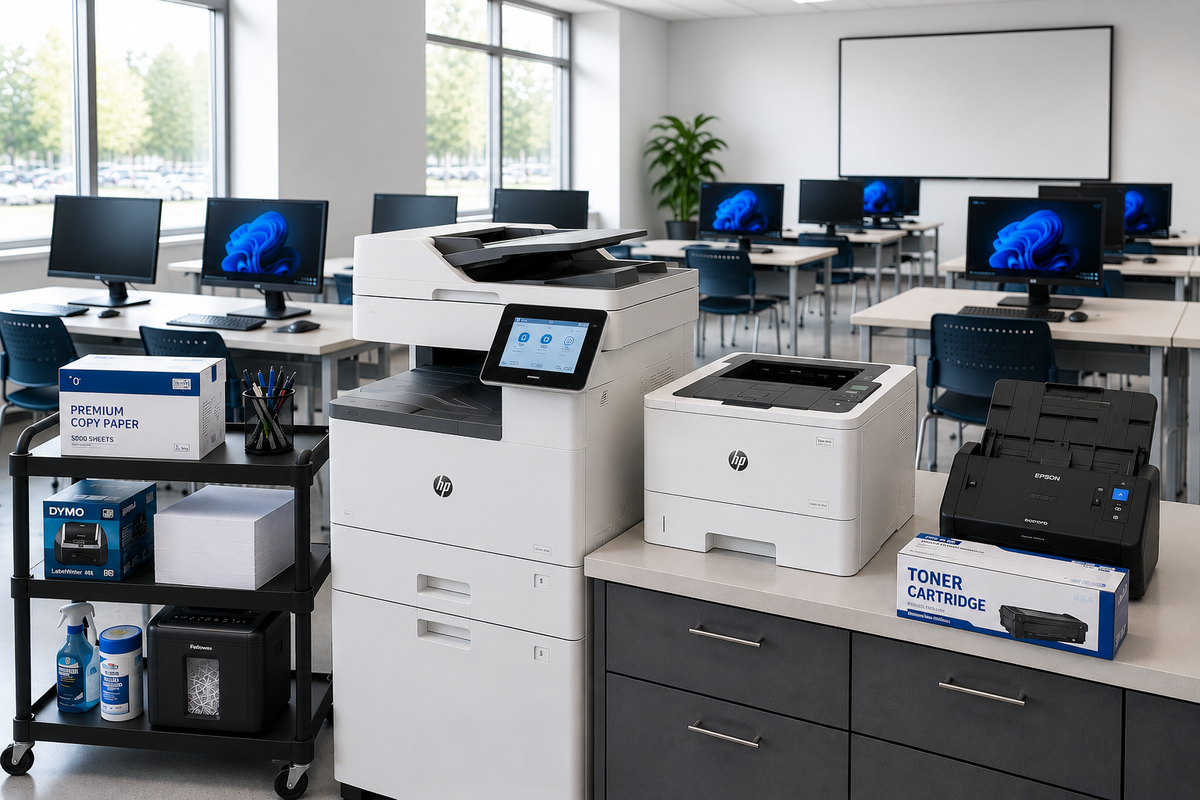
How to Reduce Printing Costs in Schools: A Practical Guide
Printing can be a significant recurring expense for schools. Administrative offices, teachers, counselors, libraries, classrooms, and other departments may print thousands of pages throughout the school year, creating ongoing costs for paper, toner, ink, equipment, maintenance, and storage.
Learning how to reduce printing costs in schools does not necessarily mean eliminating printed materials. Instead, schools can look for opportunities to reduce unnecessary printing, improve printer efficiency, standardize supplies, and manage paper and toner inventory more effectively.
A practical school printing-cost strategy can help administrators and purchasing teams control expenses while ensuring staff still have access to the documents and materials they need.
BSC Supply offers a broad selection of office products, including paper, printer supplies, labels, filing products, writing supplies, and other administrative essentials. BSC Supply also offers a range of ink and toner products for compatible printers and office equipment.
Why Printing Costs Matter for Schools
Printing expenses can extend beyond the price of a ream of paper or a toner cartridge. Schools may also spend money on color printing, replacement cartridges, printer maintenance, equipment, energy, storage, and staff time associated with managing printed materials.
Because printing happens across multiple departments, it can be difficult to see the total cost without a consistent purchasing and inventory process.
A school printing-cost reduction strategy can help facilities and administrative teams:
- Reduce unnecessary printing
- Lower paper consumption
- Manage toner and ink costs
- Reduce color-printing expenses
- Standardize printer supplies
- Improve printer utilization
- Reduce emergency supply purchases
- Track printing-related expenses
- Extend the useful life of printing equipment
1. Audit Current School Printing Costs
The first step in reducing printing expenses is understanding where the money is currently being spent.
Schools should review printing-related purchases across administrative offices, classrooms, libraries, departments, and other areas. Look at paper purchases, toner and ink, printer repairs, equipment purchases, and other recurring costs.
For larger school districts, printing expenses may be spread across multiple buildings or departments. A centralized review can help identify areas with unusually high paper or toner consumption.
Consider tracking:
- ☐ Paper purchases
- ☐ Toner purchases
- ☐ Ink purchases
- ☐ Color-printing expenses
- ☐ Printer maintenance costs
- ☐ Printer replacement costs
- ☐ Average pages printed
- ☐ Cost per page where available
- ☐ Printing expenses by department
2. Identify Unnecessary Printing
One of the simplest ways to reduce school printing costs is to avoid printing documents that do not need to exist on paper.
Many documents can be distributed electronically when appropriate. School newsletters, internal communications, meeting agendas, drafts, reference materials, and other documents may not always require printed copies.
This does not mean schools should eliminate printed materials entirely. Instead, staff can consider whether a document needs to be printed, how many copies are actually needed, and whether digital distribution is practical.
Before printing, consider:
- Does this document need to be printed?
- Who actually needs a printed copy?
- How many copies are necessary?
- Can the document be distributed digitally?
- Is a black-and-white copy sufficient?
- Can multiple pages be printed on one sheet?
3. Encourage Duplex Printing
Duplex printing allows compatible printers to print on both sides of a sheet of paper. For documents where double-sided printing is appropriate, this can reduce the number of sheets consumed.
Schools can encourage staff to use duplex printing for internal documents, meeting materials, drafts, reference documents, and other appropriate applications.
Printing on both sides does not necessarily reduce toner consumption for every job, but it can reduce the amount of paper required for many multi-page documents.
Consider making duplex printing the default setting on compatible printers where appropriate.
4. Use Print Preview Before Printing
Printing a document and discovering that it contains an extra blank page, incorrect formatting, or an unnecessary section can waste both paper and toner.
Encourage staff to use print preview before sending large documents to a printer. Reviewing page breaks, margins, page ranges, and formatting can help prevent unnecessary pages from being printed.
Print-preview checklist:
- ☐ Review the number of pages
- ☐ Check for blank pages
- ☐ Confirm the correct page range
- ☐ Review page breaks
- ☐ Remove unnecessary pages
- ☐ Confirm black-and-white or color settings
- ☐ Select duplex printing when appropriate
5. Reduce Unnecessary Color Printing
Color printing can be more expensive than black-and-white printing, depending on the equipment and consumables being used.
Schools should consider whether documents actually require color before printing them. Internal forms, drafts, meeting notes, administrative documents, and many reference materials may be suitable for black-and-white printing.
Color printing may still be appropriate for presentations, signage, instructional materials, charts, graphics, and other documents where color provides meaningful value.
Simple policy: Use color when it serves a purpose, not simply because the printer offers the option.
6. Standardize Printer Settings
Inconsistent printer settings can make it harder to control printing expenses. Standardizing commonly used settings can help establish predictable printing practices across a school or district.
Depending on the equipment, schools may consider standard defaults such as:
- Black-and-white printing
- Duplex printing
- Appropriate print quality for routine documents
- Correct paper size
- Default page ranges
- Appropriate tray selection
Printer settings should be configured according to the school's equipment, software, network environment, and document requirements.
7. Choose Paper Based on the Application
Paper is one of the most visible printing expenses in a school. Selecting the appropriate paper for each application can help avoid unnecessary use of premium paper when standard office paper is sufficient.
For everyday administrative printing, standard letter-size office paper may be appropriate. Specialty paper, cardstock, or premium paper can be reserved for applications where the additional characteristics are actually needed.
BSC Supply currently offers office paper and related office products, including EarthChoice office paper options. The catalog currently lists EarthChoice 30 Recycled Office Paper as well as standard EarthChoice Office Paper in letter size.
Paper-selection checklist:
- ☐ Standard copy paper
- ☐ Recycled paper where appropriate
- ☐ Colored paper for specific applications
- ☐ Cardstock for appropriate projects
- ☐ Specialty paper only when required
- ☐ Paper compatible with the printer or copier
8. Manage Toner and Ink Inventory
Toner and ink can represent a substantial portion of a school's printing budget. Poor inventory management can also result in emergency purchases, excess inventory, or cartridges that are purchased for equipment that is no longer being used.
Schools should maintain an inventory of compatible cartridges and identify which printers use each cartridge.
Track:
- Printer model
- Cartridge model
- Manufacturer
- SKU or item number
- Standard or high-yield cartridge type
- Estimated page yield where available
- Current inventory
- Average monthly usage
- Minimum reorder level
BSC Supply carries a broad selection of ink and toner products. Its catalog includes compatible and alternative cartridges for a range of printer models, including high-yield options.
9. Compare Cost Per Page
The purchase price of a toner or ink cartridge does not tell the entire story. Schools should also consider the expected page yield when comparing compatible cartridges.
A cartridge with a higher upfront price may provide a lower cost per page if it produces substantially more pages. Conversely, a lower-priced cartridge may not necessarily be the most economical option if its yield is significantly lower.
A basic comparison can use:
Cost per page = Cartridge cost ÷ Estimated page yield
Page yields can vary based on printing conditions, document coverage, printer model, and manufacturer testing methods. Use manufacturer-provided yield information as a comparison point rather than assuming every job will achieve the stated yield.
10. Consider High-Yield Cartridges Where Appropriate
High-yield cartridges may be worth considering for printers that handle substantial monthly printing volumes.
Schools should compare the purchase price, expected page yield, printer compatibility, storage requirements, and actual usage before selecting a high-yield option.
BSC Supply's current inventory includes multiple high-yield ink and toner options for compatible printer models.
High-volume printer checklist:
- ☐ Identify highest-volume printers
- ☐ Review cartridge page yields
- ☐ Compare cost per page
- ☐ Confirm printer compatibility
- ☐ Monitor actual usage
- ☐ Establish reorder points
11. Match Printers to the Workload
Not every printer needs to perform every task.
A school may benefit from assigning different equipment to different printing requirements. High-volume administrative printing, occasional color printing, classroom printing, and specialty printing can have different equipment requirements.
Using the appropriate printer for each workload can help schools avoid relying on expensive equipment for routine jobs or overloading smaller devices with high-volume work.
When reviewing equipment, consider:
- Monthly print volume
- Black-and-white versus color requirements
- Paper sizes
- Duplex capability
- Cartridge yield
- Maintenance requirements
- Network compatibility
- Expected equipment lifespan
12. Consolidate Printers Where Practical
Schools sometimes accumulate printers over time as departments acquire equipment for individual needs. This can result in a large number of devices requiring separate toner, maintenance, and replacement parts.
Where practical, schools can evaluate whether some low-use printers can be consolidated into shared devices.
Printer consolidation should be evaluated carefully because accessibility, workflow, security, location, network requirements, and staff needs all matter.
The goal is not simply to have fewer printers. The goal is to have the right number of appropriately placed printers for the school's actual workload.
13. Monitor Printing by Department
Printing needs can vary significantly between departments. A counseling office, administrative office, classroom, library, and central office may all have different printing patterns.
For larger schools, reviewing printing by department can help identify unusually high consumption and opportunities to improve efficiency.
Consider tracking:
- ☐ Pages printed
- ☐ Color pages
- ☐ Black-and-white pages
- ☐ Paper consumption
- ☐ Toner consumption
- ☐ Printer downtime
- ☐ Printing costs by department
14. Create Sensible School Printing Guidelines
A written printing policy can help employees understand the school's expectations without unnecessarily restricting legitimate printing.
Guidelines can address when color printing is appropriate, when duplex printing should be used, how large print jobs should be handled, and how staff should request specialty printing.
A simple policy might encourage staff to:
- Use digital distribution when practical
- Use duplex printing for appropriate documents
- Use black-and-white printing when color is unnecessary
- Review documents before printing
- Print only the required number of copies
- Use standard paper for routine documents
- Report printer problems promptly
15. Reduce Reprints and Printing Errors
Reprints can quickly increase paper and toner consumption. Common causes include incorrect page ranges, formatting errors, printer selection mistakes, paper-size mismatches, and documents being sent to the wrong printer.
Staff training and simple print-preview habits can help reduce avoidable reprints.
For larger print jobs, consider printing a small test batch before producing hundreds of copies.
16. Use Digital Distribution When Appropriate
Digital distribution can reduce the need for printing in situations where a physical copy is not necessary.
Depending on school procedures and the type of document, staff may be able to distribute information through approved digital platforms, email, shared drives, student information systems, learning-management systems, or other established communication channels.
Schools should continue to provide printed materials when required for accessibility, communication, instructional, operational, legal, or other legitimate purposes.
17. Buy Printing Supplies Based on Actual Usage
Overbuying can tie up purchasing budgets and storage space. Underbuying can lead to emergency orders and supply shortages.
Schools should review actual usage before establishing standard quantities for paper, toner, ink, labels, and other printing supplies.
Historical purchasing data can help identify seasonal trends. Printing volume may increase during enrollment periods, report-card periods, testing periods, graduation, registration, or other high-activity periods.
18. Standardize Printer Models Where Practical
Maintaining many different printer models can make supply management more complicated because each model may require different cartridges, maintenance products, and replacement parts.
Where practical, schools can standardize equipment around a smaller number of printer models or platforms.
Standardization may help simplify:
- Toner and ink purchasing
- Staff training
- Printer troubleshooting
- Inventory management
- Maintenance
- Equipment replacement
Standardization should still allow the school to select equipment appropriate for different workloads.
19. Keep a Central Printing-Supply Inventory
A centralized inventory system can help prevent schools from purchasing duplicate cartridges or discovering that an essential toner cartridge is unavailable when a printer runs out.
Store printing supplies in an organized location and clearly identify which printer or copier uses each cartridge.
Printing inventory checklist:
- ☐ Printer model
- ☐ Cartridge model
- ☐ Cartridge type
- ☐ Current quantity
- ☐ Reorder point
- ☐ Storage location
- ☐ Compatible equipment
- ☐ Purchase history
20. Consider the Total Cost of Printing
Schools should look beyond the price of individual cartridges or reams of paper when evaluating printing costs.
The total cost of printing can include paper, toner or ink, equipment, maintenance, repairs, replacement parts, electricity, storage, staff time, and administrative purchasing costs.
A printer with inexpensive cartridges may not necessarily have the lowest overall operating cost if it requires frequent maintenance or has a low page yield.
Similarly, a more expensive printer may be appropriate for a high-volume application if its operating costs and capabilities fit the school's needs.
School Printing Cost Reduction Checklist
| Cost-Control Area | Recommended Action | Priority |
|---|---|---|
| Paper | Reduce unnecessary printing and use duplex printing | Essential |
| Color printing | Use color only when it provides value | Essential |
| Print settings | Standardize appropriate default settings | Essential |
| Toner | Track usage and compare page yields | Essential |
| Ink | Match cartridges to printer models and workloads | Essential |
| Equipment | Match printers to actual workloads | Recommended |
| Inventory | Establish minimum and maximum stock levels | Essential |
| Digital distribution | Use electronic communication when appropriate | Recommended |
| Department tracking | Monitor high-volume printing areas | Recommended |
| Standardization | Reduce unnecessary printer and cartridge variety | Recommended |
How to Build a School Printing Cost-Savings Program
Reducing printing expenses works best when schools treat printing as an ongoing operational expense rather than a series of individual supply purchases.
Start by establishing a baseline. Review how much the school spends on paper, ink, toner, maintenance, and equipment. Then identify the areas with the greatest potential for savings.
Next, introduce a few practical changes rather than attempting to change every printing habit at once.
A school printing-cost program might include:
- Reviewing current printing expenses
- Setting appropriate printer defaults
- Encouraging duplex printing
- Reducing unnecessary color printing
- Using print preview
- Tracking toner and ink usage
- Comparing cartridge page yields
- Standardizing compatible supplies
- Reviewing printer utilization
- Monitoring results over time
Shop School Printing and Office Supplies at BSC Supply
Managing printing costs requires more than reducing the number of pages printed. Schools also need reliable access to compatible paper, toner, ink, labels, and other office products.
BSC Supply offers a broad selection of office supplies and ink and toner products to support school offices and administrative operations.
The BSC Supply catalog currently includes EarthChoice office paper options, including EarthChoice 30 Recycled Office Paper and standard EarthChoice Office Paper.
The catalog also includes a wide range of ink and toner products, including alternative and high-yield cartridges for compatible HP, Lexmark, Samsung, Sharp, and other printer models.
For other office needs, BSC Supply carries products such as the Bostitch 20-Sheet Electric Stapler and a broad selection of office products and accessories.
Control printing expenses by managing what you print, how you print it, and the supplies you purchase.
Shop Ink & Toner at BSC Supply →
Shop School Office Supplies at BSC Supply →
Frequently Asked Questions
How can schools reduce printing costs?
Schools can reduce printing costs by limiting unnecessary printing, encouraging duplex printing, reducing unnecessary color printing, standardizing printer settings, tracking paper and toner usage, comparing cartridge page yields, and using digital distribution when appropriate.
What is the biggest way to reduce school printing costs?
There is no single solution for every school. Reducing unnecessary pages, using duplex printing, managing color printing, and controlling toner and paper consumption are practical areas to evaluate first.
Does duplex printing save schools money?
Duplex printing can reduce paper consumption by printing on both sides of a sheet. The amount saved depends on the school's printing patterns and the types of documents being printed.
How can schools reduce toner costs?
Schools can manage toner costs by tracking cartridge usage, comparing page yields, selecting compatible cartridges appropriate for their equipment, considering high-yield options for high-volume printers, and maintaining accurate inventory records.
Is high-yield toner better for schools?
High-yield toner can be useful for printers with consistently high print volumes, but schools should compare cartridge price, expected page yield, printer compatibility, storage requirements, and actual usage before selecting a cartridge.
How can schools reduce paper waste?
Schools can reduce paper waste by using print preview, printing only necessary pages, using duplex printing where appropriate, distributing documents digitally when practical, and selecting paper appropriate for the intended application.
Should schools use black-and-white printing instead of color?
Black-and-white printing can be more economical for documents that do not require color. Schools should reserve color printing for materials where color provides meaningful instructional, communication, presentation, or administrative value.
How should schools manage printer supplies?
Schools should track printer models, compatible cartridge numbers, current inventory, usage, page yields, and reorder points. Organizing supplies by compatible printer can also reduce purchasing errors and supply shortages.
Where can schools buy printer supplies?
BSC Supply offers ink, toner, office paper, labels, and other office products that can support school printing and administrative operations.